Code Explanation
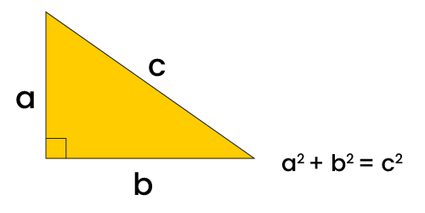
For this exercise, I made a simple script that retrieves user input and calculates the pythagorean theorum.
"use strict";
const fs = require('fs');
use strict enables strict mode which is just good practice to include as it enforces better habits.
const fs = require('fs') Just imports the built-in file system module and stores it in a variable.
const sideA = parseFloat(process.argv[2]);
const sideB = parseFloat(process.argv[3]);

if(isNaN(sideA) || isNaN(sideB)) {
    console.log("Error! Please pass valid numbers for all arguments.");
}
Process.argv is an array of command line arguments. Since the path takes up the first two array slots, the actual inputs are placed in
[3, 4].
ParseFloat converts the argument from a string into a decimal number.
The next line is quick validation to make sure the argument is a valid number. || means if either one fails the check, show the error.
var sideC2 = Math.pow(sideA, 2) +  Math.pow(sideB, 2);
var sideC = Math.sqrt(sideC2).toFixed(2);
The first line raises the values of both side A and side B by the power of two and adds them together.
The second line takes the square root from the result above to get the length of the hypotenuse. toFixed rounds the
result to two decimal places.
fs.writeFileSync('./result.txt', `We've made a triangle. Side A is ${sideA} inches long. Side B is ${sideB} inches long.` + '\n' + `This means that Side C needs to be about ${sideC} inches long.` + '\n \-E Roberts');

const message = fs.readFileSync('./result.txt', 'utf8');

console.log(message);
fs.writeFileSync() creates a new file called result.txt writes the following string into it.
const message = fs.readFileSync() reads the file and stores it inside a variable. The final line just prints this variable to the terminal.